

Wisecut Lifetime Deal: Turn Long Videos into Short Clips with AI
Wisecut Lifetime Deal turns long, messy recordings into clean, share‑ready videos fast.
You hit record, nail your message, and then dread the edit. Dead air. “Um” and “uh.” Cropped faces on vertical. Subtitles to fix by hand. If that loop sounds familiar, the Wisecut Lifetime Deal aims to break it. This AI video editing software trims silence, adds smart jump cuts, generates captions, and reframes to vertical in minutes. I tried it to see if it can cut my editing time without killing nuance—and whether the lifetime license makes sense in 2026.

What is Wisecut?
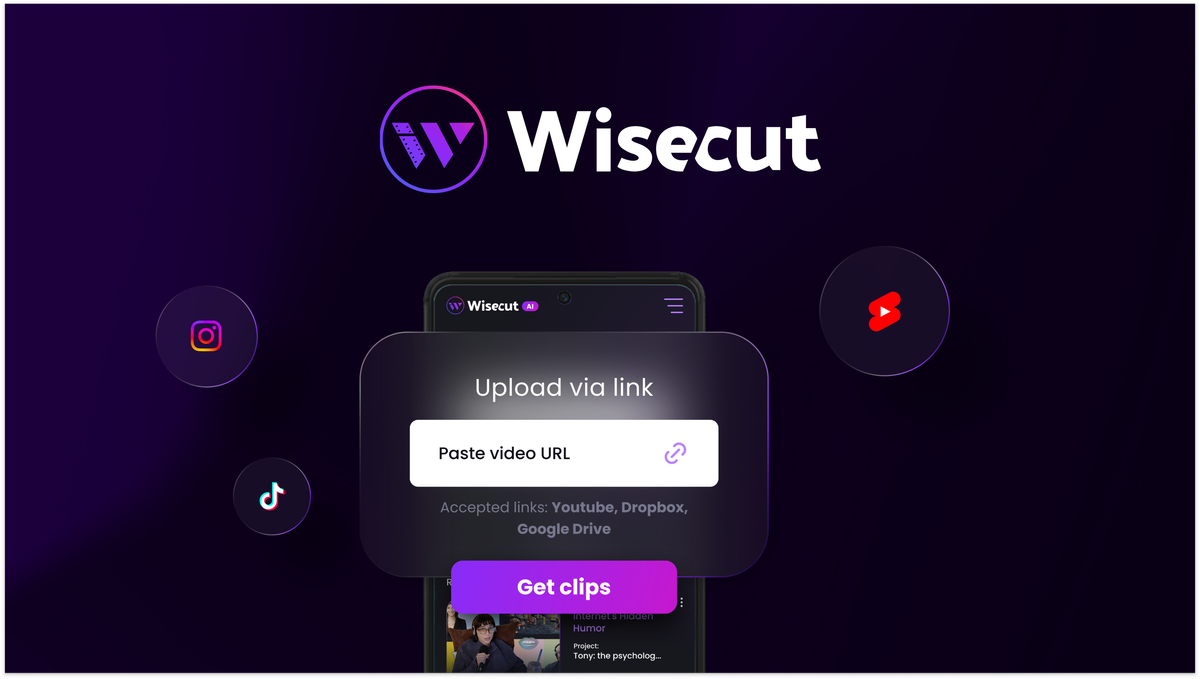
Wisecut is an AI-powered video editing software built to remove the grind from post-production. It auto-detects silence and filler words, makes clean jump cuts, generates accurate subtitles, and reframes your video for vertical, square, and widescreen formats. It also adds background music with auto-ducking and cleans audio. The promise is simple: upload a rough cut, click a few options, and get a polished edit fast—with the Wisecut Lifetime Deal giving you one-time pricing instead of ongoing fees.

My Personal Experience & In-Depth Walkthrough:
For the last 48 hours, I put the Wisecut Lifetime Deal to work on two projects: a 22‑minute talking‑head tutorial and a 9‑minute screen recording. I wanted to see how much time I could save and how much control I would keep.
I uploaded both files from my desktop. The upload was smooth. Wisecut started processing and asked me to enable Auto Cut Silences and Auto Subtitles. I did. It detected English right away, and the transcript showed up fast. I liked the script view a lot. I could click a word and jump to that exact moment. That made trimming filler words easy. I removed a dozen “ums” in seconds. Huge pro.
Next, I tested pacing. Wisecut’s smart jump cuts removed long pauses without jarring edits. It also added subtle punch‑in effects to hide cuts, which looked natural in my talking‑head video. On the screen recording, the jumps were fine, but a few cuts felt tight. I nudged the trim points in the UI. The controls are simple, but they are not as granular as pro timelines. If you want frame‑perfect finesse, that is a con to note.
Captions looked solid out of the box. I fixed a couple of brand names and swapped to a bolder style preset. I exported SRT to keep my channel workflow clean. Translation into Spanish was decent for general phrasing, but a few domain terms needed edits. That is normal for AI, yet still a minor con if you do lots of multilingual content.
The auto reframing to 9:16 was the surprise win. It tracked my face and kept me centered for Shorts without me doing keyframes. I exported 16:9, 1:1, and 9:16 versions from the same project. That alone can justify the Wisecut Lifetime Deal if you repurpose videos across platforms.
Audio got a clear boost. Noise reduction took out a faint HVAC hum, and the music ducking sat well under my voice. I dialed back the music to 8% to keep it subtle. Rendering was cloud‑based and steady. My 22‑minute edit took about the same time to export. Not blazing, not slow.
By the end, my 22‑minute tutorial took me about 15 minutes to edit with Wisecut. My usual NLE would have taken 45–60 minutes for the same job. That time savings is real. The trade‑off is advanced control. Color grading, masks, and composite tricks are beyond its scope. For fast YouTube, podcasts, courses, and shorts, the Wisecut Lifetime Deal fits. For cinematic work, you will still want a full NLE.
What Makes It Stand Out / Key Features
- Auto Cut Silences and filler-word removal for clean, fast pacing
- AI subtitles with editable transcript and SRT export
- Face-aware reframing to 9:16, 1:1, and 16:9 from one timeline
- Background music with automatic ducking and noise reduction
- Simple, script-based editing that anchors cuts to words
- Style presets for captions and on-brand typography
- Cloud rendering and shareable preview links for quick reviews
- Scene detection that chunks long videos into easy sections

What I Like
- It turns a rough talking‑head into a clean edit in minutes
- Script view lets me fix captions and trims in one pass
- Reframing to vertical actually tracks faces well
- Auto ducking makes voice + music balance painless
- SRT export fits my YouTube and course workflows
- Clean UI with a very short learning curve
- Real time savings on long tutorials and podcasts
- The Wisecut Lifetime Deal removes monthly billing stress

What Can be improved
- Limited fine‑grained timeline tools for complex edits
- Translations are good, but domain terms need review
- Fewer advanced color and visual effects than pro NLEs
Pricing And Affordability
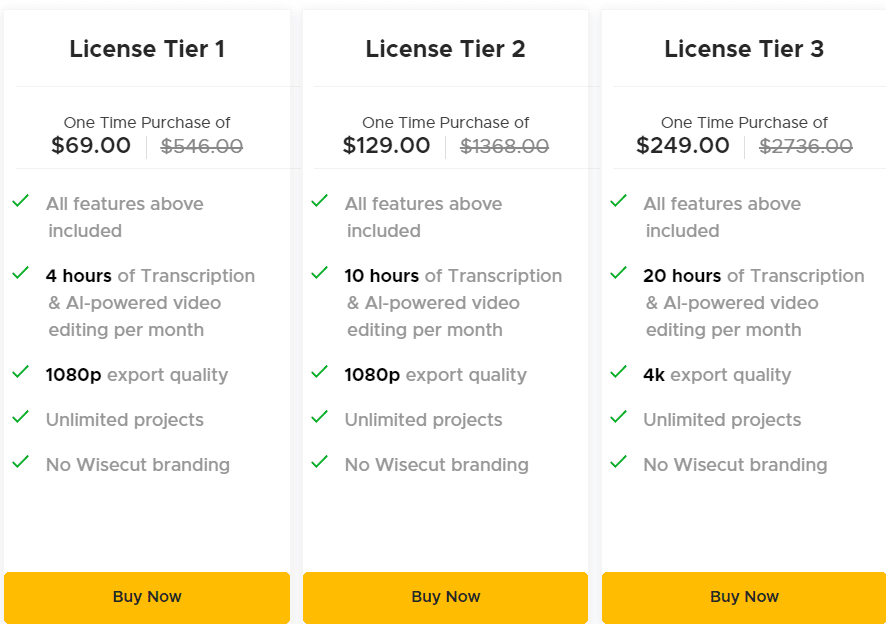
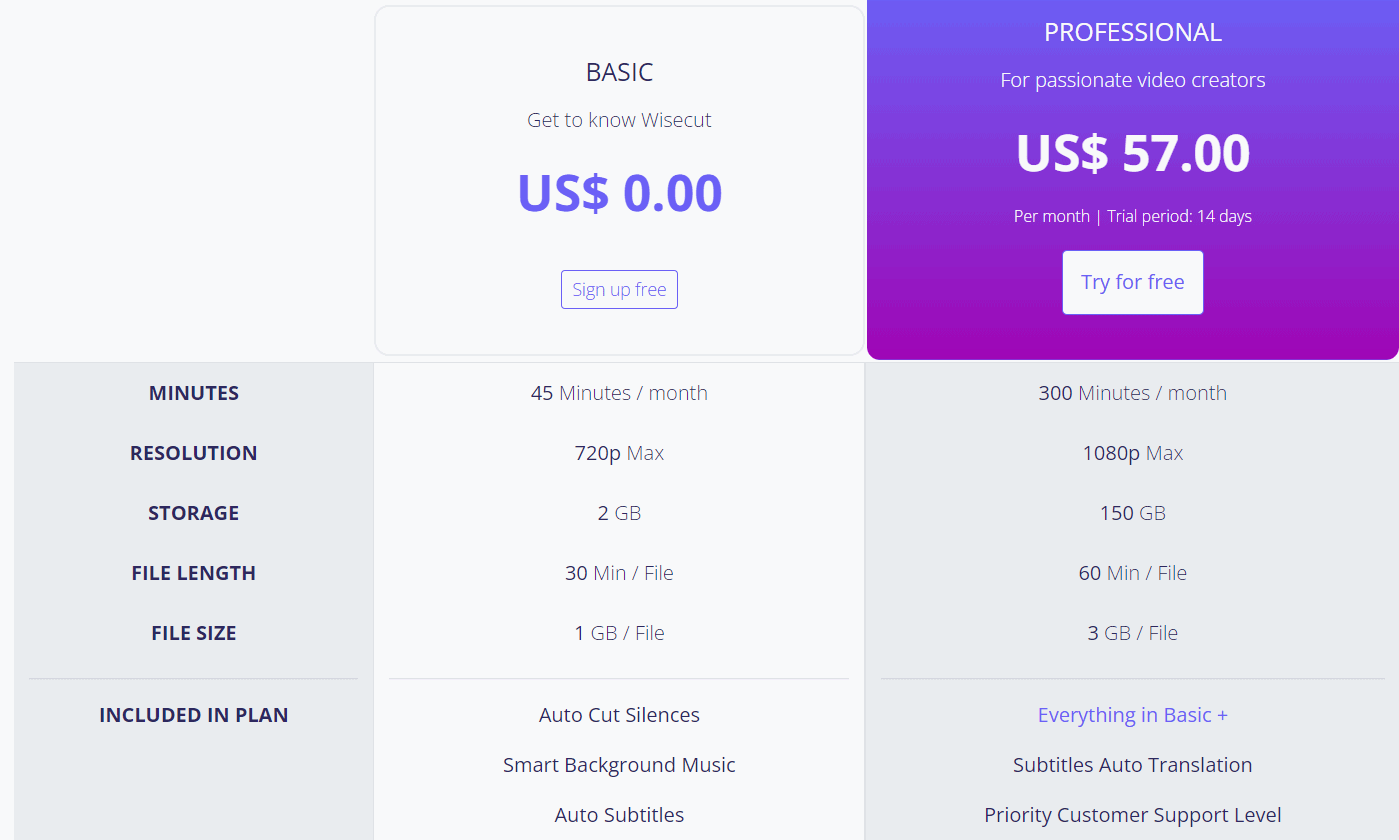
Below is a quick snapshot of the Wisecut Lifetime Deal as typically offered on AppSumo. Deal structures can change, and tiers may sell out, so confirm details on the deal page before you buy.
| Plan (Lifetime) | One‑time price | Who it fits | Export resolution | Seats | Notes |
|---|---|---|---|---|---|
| Tier 1 | $69 | Solo creators testing AI editing | 1080p | 1 | Core features, monthly processing limits apply (see deal page) |
| Tier 2 | $138 | Growing channels and podcasters | 1080p | 2 | More monthly processing, faster queues (see deal page) |
| Tier 3 | $207 | Small teams and agencies | 1080p | 5 | Highest monthly processing, priority processing (see deal page) |

Why should you buy Wisecut
If you create talking‑head videos, podcasts, tutorials, or Shorts, the Wisecut Lifetime Deal makes sense. It slashes edit time with Auto Cut Silences, accurate captions, and instant reframing for vertical. I saved 30–45 minutes on a 22‑minute video without losing quality. The tool is simple, cloud‑based, and steady. If you want pro‑level color or VFX, you will still need a full NLE. But for 80% of my weekly content, Wisecut is faster, easier, and consistent. With a one‑time price, the Wisecut Lifetime Deal is a practical way to scale content without adding monthly costs.
Lifetime Deal Overview of Wisecut
| Item | Details |
|---|---|
| Access | Lifetime access to Wisecut on the plan tier you redeem |
| Redemption | Code redemption required on Wisecut within the AppSumo window |
| Stacking | Multiple codes may unlock higher tiers (see deal page) |
| Refund | 60‑day money‑back guarantee via AppSumo |
| Updates | Includes future updates to the plan you purchase |
| Usage limits | Monthly processing/export limits vary by tier |
| Support | Email/help center; onboarding resources and tutorials |
| Ideal for | YouTubers, coaches, course creators, podcasters, agencies |
Comparison With Competitors of Wisecut
| Tool | Pricing model | Auto silence/jump cuts | Auto captions | Auto reframe | Best for |
|---|---|---|---|---|---|
| Wisecut | Lifetime (AppSumo) | Yes | Yes | Yes | Fast edits, shorts, tutorials |
| Descript | Subscription | Yes (via text) | Yes | Basic | Podcasters, script edits |
| VEED | Subscription | Yes | Yes | Yes | Social teams, templates |
| Kapwing | Subscription | Yes | Yes | Yes | Quick social edits, memes |
| Adobe Premiere Rush | Subscription | Basic | Yes | Basic | On‑the‑go Adobe users |
FAQ Of The Wisecut Lifetime Deal
Does Wisecut run in the browser or on desktop?
Wisecut runs in the browser with cloud processing. You do not need a heavy desktop to render.
How good are the captions and can I export SRT?
Captions are strong for clear audio. You can edit text inline and export SRT for YouTube or courses.
Can Wisecut make vertical videos from my widescreen footage?
Yes. The auto reframing tracks faces and centers the subject for 9:16, 1:1, and 16:9.
Does the Wisecut Lifetime Deal include future updates?
You get future updates to the plan you purchase, as stated on the deal page at checkout.
Is Wisecut a full replacement for pro editors?
Not for complex work. It is best for talking‑head content, podcasts, tutorials, and social clips where speed matters.
Conclusion
The Wisecut Lifetime Deal is a smart buy if you want faster edits without a steep learning curve. It removes silence, fixes captions, reframes for vertical, and cleans audio with little effort. I cut my edit time by more than half on real projects. You trade deep timeline control and advanced color for speed and simplicity, which is a fair swap for most creators. If you publish weekly and want to stop paying monthly, the Wisecut Lifetime Deal is an easy recommendation.


One Comment