
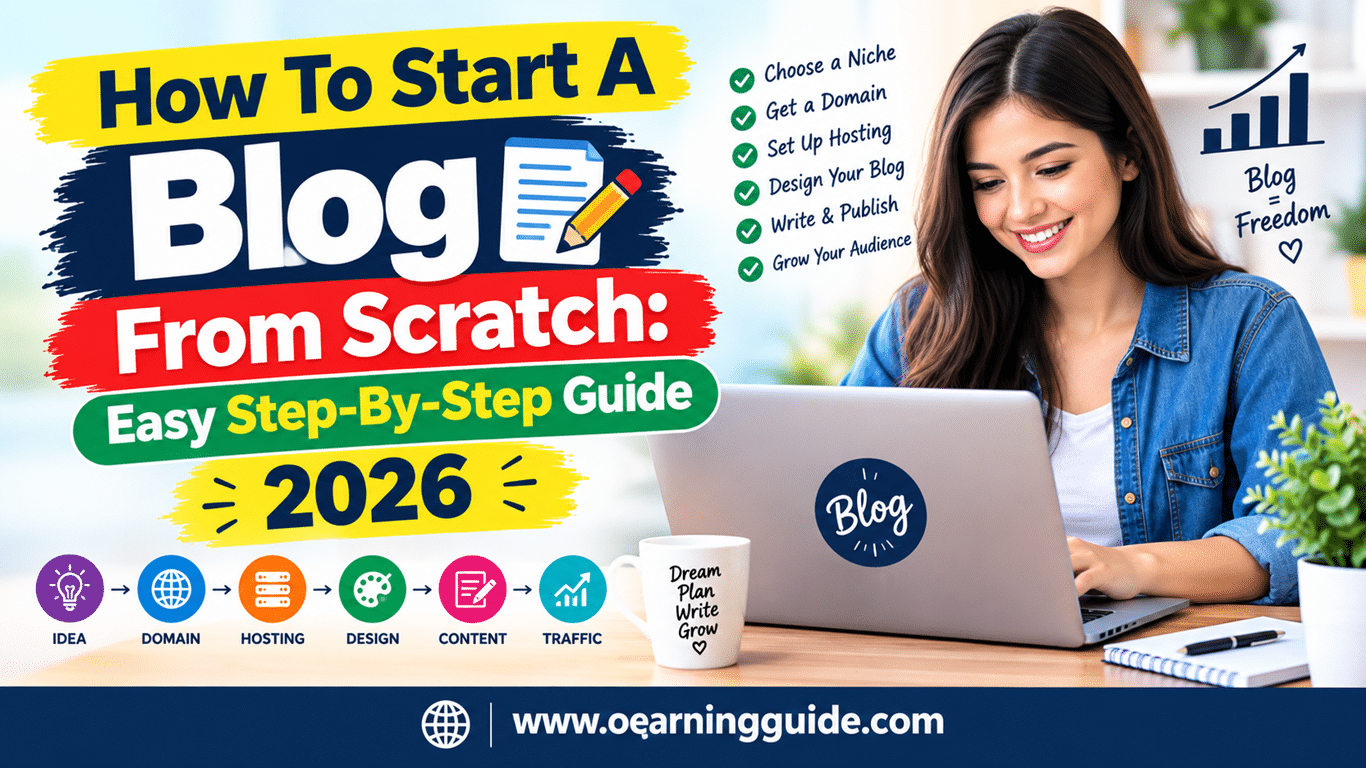
How To Start A Blog From Scratch: Easy Step-By-Step Guide 2026
Start a blog by choosing a clear topic, setting up a website, publishing useful content, and promoting it consistently.
Learning how to start a blog from scratch can feel like building a small shop in an empty field. You need a clear purpose, a simple platform, helpful content, and a plan for attracting readers. This guide explains each step in plain language, with practical tips for avoiding common mistakes and building a blog that can grow over time.

Decide Why You Want to Start a Blog
Before learning how to start a blog from scratch, decide what you want your blog to achieve. Your goal will shape your topic, writing style, content plan, and income strategy.
Some common blog goals include:
• Sharing personal knowledge or experiences
• Building a professional reputation
• Supporting a business or service
• Creating a community around an interest
• Earning money through ads, affiliate marketing, products, or services
• Improving your writing and communication skills
A blog without a clear goal can feel like a car without a map. You may publish often, but your content may not lead readers toward a useful result.
Write one simple goal statement, such as:
“I want to help first-time gardeners grow food in small urban spaces.”
This statement gives you direction. It also helps you decide what topics to cover and which readers you want to serve.
Your goal may change later. That is normal. Start with a clear direction instead of waiting for a perfect plan.

Source: udemy.com
Choose a Focused Blog Niche
A niche is the main subject or audience your blog serves. It helps readers understand what to expect from your website.
Strong blog niches often combine three elements:
• A topic you understand or want to learn deeply
• A clear audience with real questions
• A useful outcome readers want to achieve
For example, “fitness” is very broad. “Strength training for busy parents over 40” is more focused. The second topic makes it easier to choose content, create products, and reach the right audience.
When choosing a niche, ask yourself:
• What can I discuss for at least one year?
• What problems do people search for in this area?
• Can I offer useful advice, examples, or original views?
• Are there books, products, services, or communities related to this topic?
• Does the subject have room for growth?
You do not need to be the world’s top expert. You do need to be honest about your experience. If you are still learning, document the process and support your advice with reliable research.
Avoid choosing a niche only because you think it will make money. If you dislike the subject, writing will soon feel like carrying a heavy bag uphill.

Source: letsreachsuccess.com
Research Your Audience
A successful blog speaks to a specific person, not to “everyone.” Audience research helps you understand what readers need, fear, want, and search for online.
Start by creating a simple reader profile. Include:
• Age range and location
• Skill level
• Main goals
• Common problems
• Questions they ask
• Products or services they may use
• Words they use to describe their problems
You can research readers through Google search results, Reddit discussions, online communities, customer reviews, and social media comments. Look for repeated questions and complaints. These often become excellent blog topics.
For example, if people ask, “How do I start a vegetable garden with no yard?” you could create articles about balcony gardens, container soil, sunlight, watering, and easy crops.
Pay attention to the language readers use. A beginner may search for “how to start a blog from scratch,” while an experienced writer may search for “blog content architecture.” Use natural language that matches your audience’s knowledge.

Source: udemy.com
Select a Blogging Platform
A blogging platform is the software you use to create and manage your website. The right choice depends on your budget, technical skills, and long-term plans.
Common options include:
• WordPress.org for full control and flexible growth
• WordPress.com for a simpler hosted experience
• Wix for visual drag-and-drop design
• Squarespace for polished templates and easy setup
• Ghost for publishing and membership-focused websites
WordPress.org is often a strong choice for serious bloggers. It allows you to select your hosting company, install plugins, change your design, and own your website files. However, you must manage hosting, updates, backups, and security.
Hosted platforms are easier for beginners because the company handles much of the technical work. They may also limit certain features or charge more as your needs grow.
When comparing platforms, check:
• Monthly or yearly cost
• Custom domain support
• Storage and traffic limits
• Design options
• Search engine optimization features
• Backup and security tools
• Ability to export your content
Choose a platform that fits your current needs. You can upgrade later. Many beginners lose time by comparing every tool instead of publishing their first useful article.
Source: creativeblogging101.com
Choose a Domain Name and Hosting Provider
Your domain name is your website address, such as example.com. Your hosting provider stores your website files and makes them available online.
A good domain name should be:
• Easy to spell
• Easy to remember
• Short enough to say aloud
• Related to your topic or brand
• Free from confusing numbers and symbols
You can use your name, a topic-based name, or a brand name. A personal domain gives you room to change topics later. A topic-based domain can make your subject clear from the start.
Try to choose a .com domain when it is available. Other extensions can work, but some readers find .com names easier to remember.
When selecting hosting, look for:
• Reliable uptime
• Fast page loading
• Free SSL certification
• Automatic backups
• Customer support
• Simple WordPress installation
• Transparent renewal prices
Do not choose hosting based only on the cheapest first-year offer. Some companies raise prices at renewal or charge extra for important features. Read the full pricing details before you pay.

Source: webnode.com
Set Up Your Blog
Once you have a domain and hosting plan, install your blogging platform. Many hosting companies offer a one-click WordPress setup.
Complete these basic settings:
- Add your website name and short description.
- Set a clean and readable site address.
- Create a strong administrator password.
- Install an SSL certificate so your site uses HTTPS.
- Set your time zone and preferred date format.
- Remove sample posts, pages, and plugins.
- Create a professional email address if your host provides one.
Use a lightweight theme with clear navigation. Avoid themes filled with animations, pop-ups, and decorative features that slow down the site.
Your blog should work well on phones. Google uses mobile-first indexing, which means it mainly evaluates the mobile version of a website when deciding how to index it.
Test your website on a phone before launch. Check menus, buttons, images, contact forms, and text size. A beautiful desktop site is not enough if mobile readers struggle to use it.

Source: heleneinbetween.com
Create the Essential Blog Pages
A new blog needs more than blog posts. Essential pages help readers understand who you are and how your website works.
Create these pages:
About Page
Explain who you are, what your blog covers, and how you help readers. Share relevant experience without exaggerating your qualifications.
Contact Page
Give readers a simple way to contact you. A form is often better than displaying your personal email address publicly.
Privacy Policy
Explain what data your website collects and how you use it. This page may be required by privacy laws, advertising platforms, or email providers.
Terms and Conditions
This page can explain acceptable site use, content ownership, and limits of responsibility.
Disclaimer
Use a disclaimer when your content involves health, finance, legal matters, safety, or affiliate recommendations. Tell readers that general information does not replace professional advice.
The Federal Trade Commission expects clear disclosure when a publisher has a financial relationship with a brand. If you use affiliate links, state that clearly near the relevant recommendation.
Source: settleinelpaso.com
Build a Content Strategy
A content strategy is a plan for what you will publish, who it will help, and how each article supports your blog goal.
Start with three to five content categories. For a cooking blog, categories might include:
• Easy weeknight meals
• Budget recipes
• Meal preparation
• Kitchen tools
• Healthy desserts
Categories keep your website organized. They also help search engines understand the main subjects you cover.
Next, create topic groups. A topic group includes one broad guide and several related articles. For example:
• Main guide: How to Start a Container Garden
• Supporting article: Best Vegetables for Container Gardening
• Supporting article: Choosing Soil for Pots
• Supporting article: How Often to Water Container Plants
• Supporting article: Common Container Gardening Mistakes
Link these articles together. This creates a useful path for readers and helps search engines discover related pages.
Aim for quality and consistency instead of publishing every day. One helpful article each week is better than seven rushed posts that do not answer real questions.

Source: arraytics.com
Learn Basic Keyword Research
Keyword research shows the words people use when searching for information. It helps you create content that matches real demand.
For example, someone searching “how to start a blog from scratch” may need a beginner guide. Someone searching “best blog hosting for photographers” may be closer to making a purchase.
Use several research methods:
• Enter a topic into Google and review autocomplete suggestions.
• Study the “People also ask” results for related questions.
• Review the headings and subtopics in high-ranking articles.
• Use keyword tools to compare search terms.
• Read forums and customer reviews for natural wording.
Do not focus only on search volume. A keyword with fewer searches may bring more useful readers if it matches your audience closely.
Consider search intent:
• Informational intent means the reader wants to learn.
• Navigational intent means the reader wants a specific website.
• Commercial intent means the reader is comparing options.
• Transactional intent means the reader is ready to buy.
Match your article to the reader’s intent. A beginner guide should not immediately push a product. First, provide clear help.
Write Your First Blog Post
Your first article does not need to be perfect. It needs to be useful, clear, and easy to read.
A simple blog post structure includes:
- A direct introduction
- A clear explanation of the problem
- Step-by-step advice
- Examples or practical tips
- Common mistakes
- A short summary
- A helpful next step
Use short paragraphs and clear headings. Explain technical terms the first time you use them. Include examples that show how readers can apply your advice.
For instance, an article about starting a blog should not only define hosting. It should explain what hosting does, what features matter, and how a beginner can compare providers.
Use original insights whenever possible. You can add:
• Personal tests
• Before-and-after results
• Screenshots
• Expert comments
• Real examples
• Simple checklists
Avoid copying the structure or wording of another site. Google Search Central encourages helpful, original content created for people first.
Optimize Blog Posts for Search Engines
Search engine optimization helps your content become easier to find. Good SEO begins with satisfying the reader, not repeating a keyword.
Use your main keyword naturally in:
• The page title
• The introduction
• One or more relevant headings
• The page URL
• The meta description
• Image alternative text when appropriate
• The conclusion
Do not force the same phrase into every paragraph. Search engines understand related words and meaning. A natural article about how to start a blog from scratch may also use terms such as domain name, blogging platform, content strategy, web hosting, blog design, email list, and organic traffic.
Improve the reader’s experience by:
• Writing a useful title
• Answering the main question early
• Using descriptive headings
• Compressing images
• Adding internal links
• Checking mobile usability
• Removing broken links
• Making important information easy to scan
A meta description does not guarantee higher rankings, but it can help searchers understand the page before clicking. Write one that accurately summarizes the article.
SEO results take time. Rankings depend on competition, content quality, site reputation, links, technical health, and search intent. No ethical professional can guarantee a specific position in search results.
Add Images and Improve Accessibility
Images can make a blog easier to understand, but they should serve a purpose. Use screenshots, diagrams, charts, or original photos when they add meaning.
Before uploading an image:
• Resize it to the display size you need.
• Compress the file to reduce loading time.
• Use a clear file name.
• Add useful alternative text.
• Check that text remains readable on small screens.
Alternative text helps screen reader users understand important images. Describe the image’s purpose rather than stuffing it with keywords.
For example, “WordPress dashboard showing the post editor” is better than “best blog WordPress blogging blog image.”
Do not use images that you do not have permission to publish. Use your own photos, licensed images, or images from a trusted source with suitable usage rights.
Accessibility is not only an SEO task. It is a basic part of respectful web publishing. A clear, accessible blog serves more people.
Promote Your New Blog
Publishing an article is only the beginning. Promotion helps the right people discover your work.
Start with simple methods:
• Share new posts on social media where your audience spends time.
• Send articles to an email list.
• Answer relevant questions in online communities.
• Collaborate with other bloggers.
• Write guest posts for trusted websites.
• Repurpose an article into short videos or social posts.
• Link to useful articles from your own older content.
Avoid posting a link with no context. Explain what the reader will learn and why the article may help.
Build an email list early. Social platforms can change their rules, but an email list gives you a direct way to communicate with people who choose to hear from you.
Use a clear sign-up form. Tell readers what they will receive, such as weekly tips, a checklist, or new article updates. Do not add people to your list without permission.
Promotion is not a one-time event. An excellent article may deserve several updates and shares over many months.
Track Performance With Analytics
Analytics help you learn what readers do on your site. They can show which pages attract visitors, how people find you, and where readers leave.
Useful measurements include:
• Organic search visits
• Page views
• Engaged sessions
• Average engagement time
• Email sign-ups
• Clicks on important links
• Conversions or sales
Do not treat every number as a success or failure. A short article may answer a question quickly, so a brief visit can still be valuable. A long visit may not matter if the reader cannot find the next step.
Set a few practical goals. For example:
• Publish 12 helpful articles in 90 days.
• Gain 100 email subscribers.
• Improve traffic to three important pages.
• Receive five meaningful reader comments each month.
Google Analytics and Google Search Console can provide useful data, but they require careful setup and privacy awareness. Review current privacy rules that apply to your audience and location.
Create Ways to Earn Money
A blog can earn income, but most blogs need time and trust before they make meaningful money. Focus on helping readers first.
Common blog income models include:
• Affiliate marketing
• Display advertising
• Online courses
• Coaching or consulting
• Freelance services
• Memberships
• Sponsored content
Affiliate marketing means you earn a commission when a reader buys through your special link. Recommend products that fit your topic and that you can discuss honestly.
Digital products might include templates, guides, printables, spreadsheets, or courses. They work best when they solve a clear problem for a specific audience.
Advertising may suit blogs with high traffic, but too many ads can harm readability and user trust. Sponsored content should be labeled clearly.
Do not build your entire business on one income source. Search rankings, advertising rates, and social platforms can change. A mix of useful content, direct audience relationships, and reliable offers creates more stability.
Protect Your Blog
Security and backups are part of learning how to start a blog from scratch. A small blog can still attract spam, automated attacks, or unauthorized login attempts.
Take these steps:
• Use a unique, strong password.
• Turn on two-factor authentication.
• Keep your platform, theme, and plugins updated.
• Install only tools from trusted providers.
• Use HTTPS.
• Schedule automatic backups.
• Limit administrator access.
• Remove unused themes and plugins.
• Watch for suspicious login activity.
Test your backups before you need them. A backup that cannot be restored is not a reliable backup.
You should also protect your readers. Use reputable email and payment services. Do not collect personal data that you do not need.
Avoid Common Beginner Mistakes
Many new bloggers make the same mistakes. Knowing them early can save months of effort.
Choosing a Topic That Is Too Broad
A broad subject makes it hard to stand out. Narrow your audience or focus on a specific problem.
Waiting for Perfect Design
Readers value useful answers more than fancy graphics. Publish a simple, helpful article and improve your design later.
Publishing Without a Reader in Mind
Write for a real person with a real need. Ask what the reader should understand or do after reading.
Ignoring Email
Search and social traffic can change. An email list gives you a more stable connection with your audience.
Using Too Many Plugins
Extra plugins can slow a website and create security risks. Install only tools that solve clear problems.
Expecting Fast Income
Blogging often takes months or years to become a reliable business. Treat early work as building an asset, not chasing instant results.
Copying Competitors
Study successful blogs for ideas, but develop your own examples, opinions, and voice. Originality builds trust.
A practical lesson is simple: consistency becomes easier when your publishing system is small. A realistic schedule beats an ambitious schedule you cannot maintain.
Follow a Simple 90-Day Blogging Plan
A 90-day plan can turn the idea of how to start a blog from scratch into steady action.
Days 1–30: Build the Foundation
• Choose your audience and niche.
• Register a domain.
• Set up hosting and your blogging platform.
• Create essential pages.
• Publish three to five useful articles.
• Install analytics and backup tools.
Days 31–60: Improve Your Content
• Publish four to eight more articles.
• Build topic groups and internal links.
• Improve page titles and introductions.
• Start an email list.
• Share content in relevant communities.
• Review search and engagement data.
Days 61–90: Grow Your Reach
• Update older articles.
• Create one strong guide for your main topic.
• Contact possible collaborators.
• Test a simple digital product or service idea.
• Review your best-performing pages.
• Set goals for the next three months.
Keep notes about what you publish and what you learn. A simple spreadsheet can track article titles, keywords, publication dates, links, updates, and results.
The goal is not to complete every task perfectly. The goal is to create a repeatable system that helps your blog improve each month.
Frequently Asked Questions About How to Start a Blog From Scratch
How much does it cost to start a blog from scratch?
A basic self-hosted blog may cost money for a domain and hosting, while some hosted platforms offer free plans with limits. The exact cost depends on your platform, design needs, email tools, premium plugins, and business goals.
Can I start a blog without technical skills?
Yes. Modern blogging platforms provide guided setup, templates, and visual editors. You can learn technical tasks gradually, and many hosting companies offer support for common setup issues.
How long does it take to make money from a blog?
There is no fixed timeline. Many blogs need consistent publishing, audience growth, and several months or longer before income becomes reliable.
How often should I publish blog posts?
Publish as often as you can maintain without reducing quality. For many beginners, one useful article per week or every two weeks is a practical schedule.
What is the best blogging platform for beginners?
The best platform depends on your goals. A hosted platform may be easiest for a simple personal blog, while self-hosted WordPress often offers more control for long-term growth.
Do I need to be an expert to start a blog?
You do not need to know everything before you begin. Be transparent about your experience, research carefully, cite reliable information, and avoid presenting guesses as professional advice.
How do I get readers to a new blog?
Create useful content that matches real searches, promote it in relevant communities, build an email list, collaborate with other creators, and improve older articles. Reader growth usually comes from repeated effort rather than one viral post.
Conclusion
Learning how to start a blog from scratch becomes easier when you break the process into clear steps. Choose a focused topic, understand your readers, select a reliable platform, publish useful content, use basic SEO, and promote your work with patience.
Your first blog will not be perfect, and it does not need to be. Each article gives you more practice, data, and confidence. Start with one helpful post, build a simple publishing habit, and improve your site as you learn.
Take the first step today by choosing your audience and writing down your first five article ideas. Then publish, listen to your readers, and keep building.


