
How To Write A Blog Post: Easy SEO Writing Guide 2026
A strong blog post starts with a clear purpose, useful research, and a simple structure that guides readers.
Learning how to write a blog post is easier when you treat it like helping a real person solve a real problem. The best posts are not just collections of keywords. They combine a clear idea, trusted information, useful examples, and a smooth reading experience. This guide explains how to write a blog post from the first idea to the final edit, with practical steps you can use today.
What Is a Blog Post?
A blog post is a written article published on a website or blog. It may educate, entertain, explain a process, answer a question, share an opinion, or help readers make a decision.
A blog post can be short or long. However, length alone does not make an article valuable. A 700-word post that solves a reader’s problem can perform better than a 3,000-word article filled with repeated ideas.
When learning how to write a blog post, focus on three basic goals:
- Answer the reader’s main question.
- Make the information easy to understand.
- Give the reader a clear next step.
A useful blog post feels like a helpful conversation. It understands what the reader wants, removes confusion, and offers a practical path forward.
For example, someone searching for “how to start a vegetable garden” may need more than a definition. They may want to know where to plant, what tools to buy, which vegetables are easy to grow, and what mistakes to avoid.
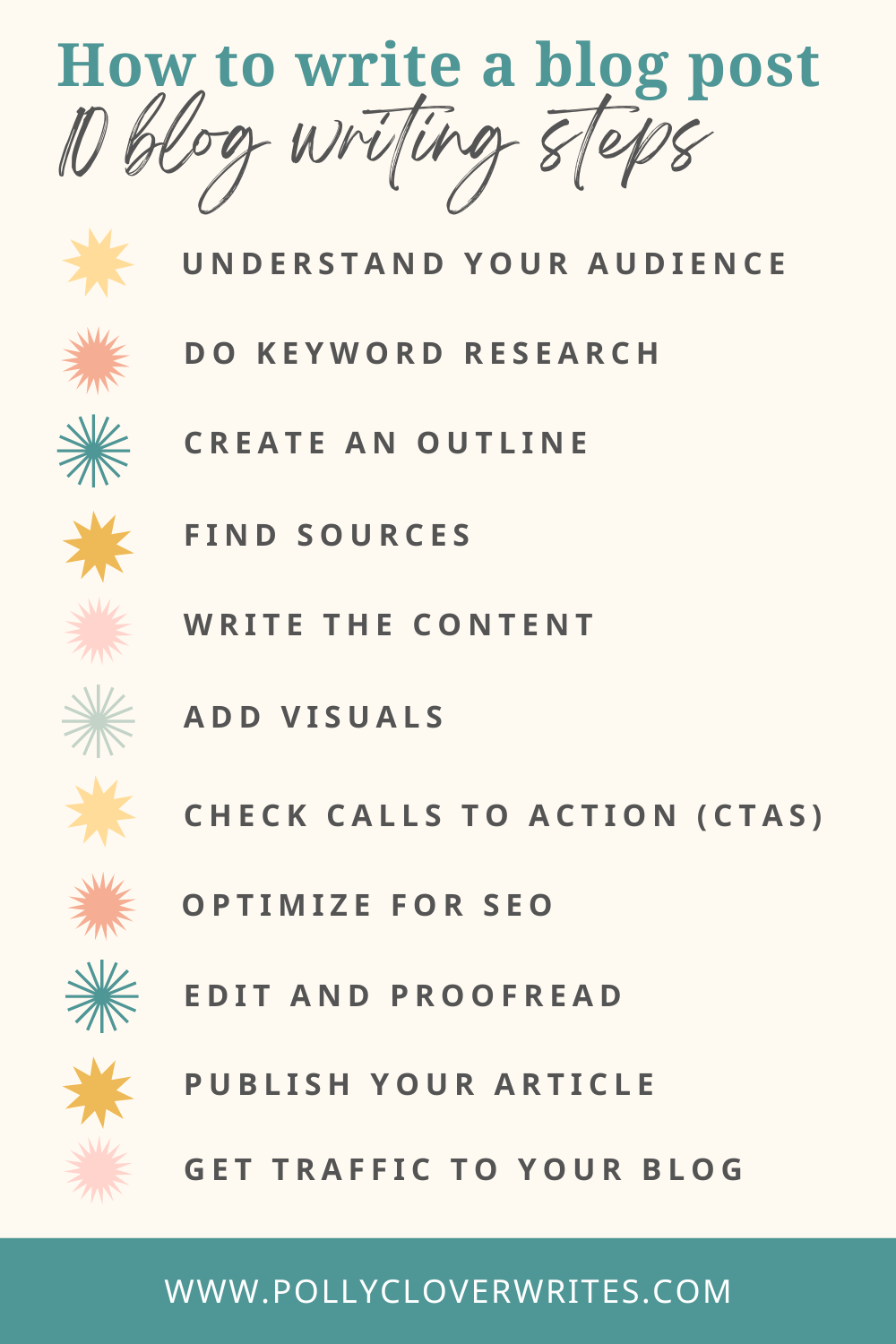
Source: pollycloverwrites.com
Step 1: Choose a Clear Blog Topic
The first step in how to write a blog post is choosing a focused topic. A broad subject may sound impressive, but it can make the article vague and difficult to organize.
“Fitness” is too broad for one blog post. “How to Build a 20-Minute Home Workout” is more specific. It gives the writer a clear direction and helps the reader know what to expect.
A strong topic usually has these qualities:
- It solves a specific problem.
- It matches your audience’s interests.
- It gives you enough room to provide useful detail.
- It connects with your website or business goals.
- It can be explained in a clear and practical way.
Find problems your readers want to solve
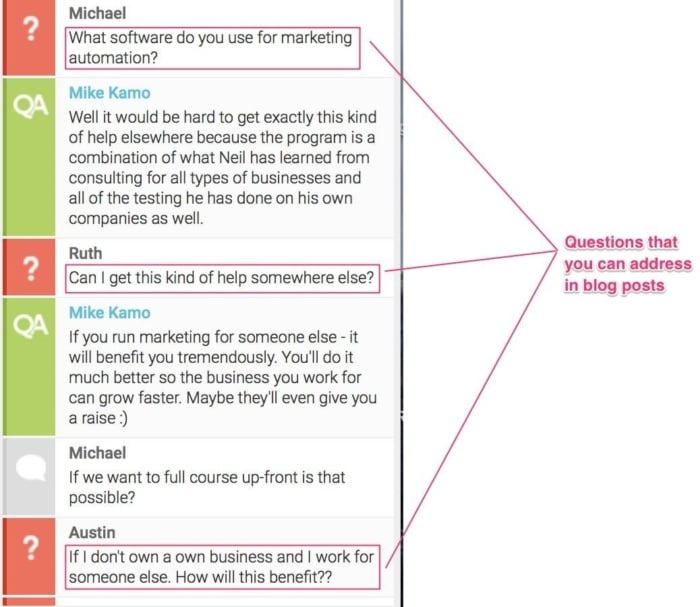
Start with your audience. Ask what they struggle with, what they search for, and what questions they ask again and again.
You can find topic ideas through:
- Customer questions
- Comments on related articles
- Online communities
- Search suggestions
- Product reviews
- Social media discussions
- Sales and support conversations
- Your own professional experience
Your personal experience can also reveal strong topics. In my work with content, I have found that the best ideas often come from simple questions people ask in everyday conversations. A question that seems obvious to an expert may be confusing to a beginner.
Use one main idea
Each blog post should have one main promise. This promise explains what the reader will learn or achieve.
For example:
- Weak topic: Email marketing
- Better topic: How to Write a Welcome Email for New Subscribers
- Strong topic: How to Write a Welcome Email That Builds Trust in Five steps
the narrower topic gives the article a stronger purpose. It also makes it easier to write a useful headline, introduction, and outline.

Source: wordpress.com
Step 2: Understand Search Intent
Search intent is the reason behind a person’s search. Understanding it is a major part of how to write a blog post that ranks well and satisfies readers.
Most searches fall into four broad groups:
- Informational intent: The person wants to learn something.
- Navigational intent: The person wants to find a specific website or page.
- Commercial intent: The person is comparing products or services.
- Transactional intent: The person is ready to buy, register, download, or take action.
A search for “how to write a blog post” has mainly informational intent. The reader likely wants a clear process, examples, writing tips, and perhaps SEO guidance.
Match the content to the search
Before writing, study the pages that already appear for your target topic. Look for patterns rather than copying them.
Ask these questions:
- What questions do the top pages answer?
- What information seems missing?
- Are the results beginner-friendly or advanced?
- Do readers need examples, steps, tools, or templates?
- Can you explain the topic more clearly?
This process helps you create content that meets expectations while adding your own value. Search engines aim to show useful results, so a post should help people first and target keywords second.
Choose a primary keyword
A primary keyword is the main phrase that describes your topic. For this article, the primary keyword is “how to write a blog post.”
Use the phrase naturally in places such as:
- The introduction
- One main heading
- The page title
- The URL, when appropriate
- The meta description
- Image alt text, when relevant
- The conclusion
Do not force the phrase into every paragraph. Natural language matters more than repetition. Related terms such as blog writing, content creation, blog structure, SEO writing, headings, keyword research, and reader intent can help search engines understand the subject.

Source: backlinko.com
Step 3: Research the Topic Carefully
Good research gives a blog post depth and trust. It also helps you avoid common errors, outdated claims, and weak advice.
Research does not mean collecting every fact available. It means finding the facts that help answer the reader’s question.
Use a mix of sources, such as:
- Government websites
- Universities and research institutions
- Professional organizations
- Books by recognized experts
- Industry reports
- First-hand interviews
- Reliable news publications
- Official product or policy pages
Check the date of important information. Statistics, software features, laws, health advice, and market trends can change quickly.
Separate facts from opinions
A fact can be checked. An opinion reflects a viewpoint or recommendation. Both can have a place in a blog post, but they should not be presented in the same way.
For example:
- Fact: A headline tells readers what an article is about.
- Opinion: Short headlines are always better.
The first statement is easy to verify. The second needs context because headline length depends on the topic, audience, and platform.
Keep research notes organized
Create a simple research document with these sections:
- Main claim
- Supporting fact
- Source or reference
- Date checked
- How the information supports the reader
This habit saves time during editing. It also helps you remove claims that you cannot support.
One lesson I learned early in content work is that research should serve the reader, not the writer’s ego. A long list of facts can make an article feel smart but still leave the reader unsure what to do. Always connect research to a clear takeaway.

Source: wix.com
Step 4: Create a Simple Blog Post Outline
An outline is the map for your article. It prevents repetition and helps you write in a logical order.
A basic blog post outline often includes:
- Introduction
- Explanation of the topic
- Main steps or strategies
- Examples
- Common mistakes
- Practical tips
- Frequently asked questions
- Conclusion
Your outline may change as you research. That is normal. Think of it as a flexible plan, not a strict contract.
Use a reader-focused structure
A strong structure usually moves from basic information to practical action.
For example, a post about writing a blog post might follow this order:
- Define what a blog post is.
- Explain how to choose a topic.
- Show how to research the topic.
- Describe how to create an outline.
- Explain how to write the draft.
- Cover SEO and formatting.
- Show how to edit and publish.
- Answer common questions.
This order works because it follows the reader’s natural process.
Write useful headings
Headings help readers scan the page. They also help search engines understand the content.
Use headings that promise clear value:
- How to Choose a Blog Topic
- How to Research a Blog Post
- How to Write a Strong Introduction
- How to Optimize a Blog Post for SEO
Avoid vague headings such as “Some Thoughts” or “More Information.” A reader should understand the section’s purpose without reading every word.
Source: neilpatel.com
Step 5: Write a Strong Introduction
The introduction has one main job: convince the reader that the article is worth reading.
A clear introduction often does four things:
- Identifies the reader’s problem
- Gives a brief answer or useful insight
- Explains what the article will cover
- Shows why the information matters
Keep the introduction focused. Readers do not need a long story before they receive value.
For example:
“Writing a blog post can feel difficult when you do not know where to start. A clear process makes the work easier. In this guide, you will learn how to choose a topic, plan your structure, write for readers, optimize for search, and edit your final draft.”
This introduction is direct. It sets expectations and uses the target phrase naturally.
Avoid weak opening lines
Try not to begin with:
- “In today’s fast-paced world”
- “Have you ever wondered?”
- “Since the beginning of time”
- A long personal story with no connection to the topic
- A definition copied from a dictionary
These openings are common and often delay the answer. Start with the reader’s need instead.
Make a clear promise
Your introduction should tell readers what they can do after reading. A useful promise might be:
“By the end of this guide, you will have a repeatable process for planning, writing, editing, and publishing a helpful blog post.”
A promise creates direction. Your article must then deliver on it.
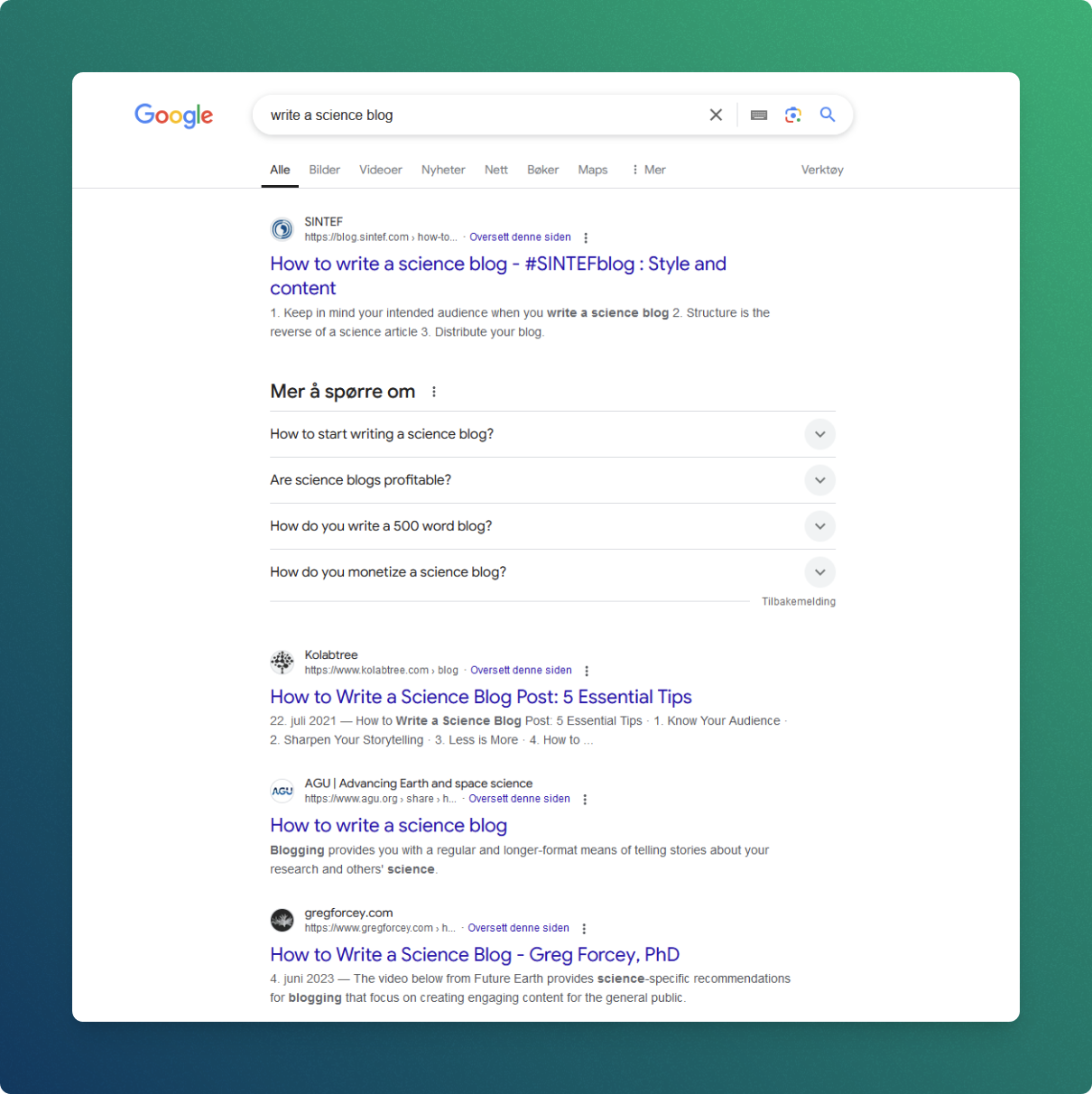
Source: sintef.com
Step 6: Write the Main Content
The main content should deliver the answer in a clear and useful way. Each section should support the article’s main purpose.
When learning how to write a blog post, use short paragraphs and simple sentences. A paragraph of three or four sentences is often easier to read than a large block of text.
Explain one idea at a time
Do not place several unrelated ideas in one paragraph. Give each idea space, then connect it to the next point.
For example, a section about blog headlines could cover:
- What a headline does
- How to make it specific
- How to use a benefit
- How to avoid misleading claims
This structure makes the content easier to scan and remember.
Use examples
Examples turn abstract advice into something practical.
Instead of saying, “Use a specific headline,” show the difference:
- General: Healthy Breakfast Ideas
- Specific: Seven High-Protein Breakfasts You Can Make in Ten Minutes
Instead of saying, “Know your audience,” explain how the advice changes:
- A beginner may need definitions and simple steps.
- An experienced reader may want advanced tactics and tools.
- A business owner may want costs, results, and risks.
Examples also make your writing feel more human. They show that you understand how advice works in real situations.
Add useful detail, not filler
A detailed article does not need to repeat the same point in different words. Add depth through:
- Clear explanations
- Practical examples
- Relevant data
- Step-by-step instructions
- Warnings about common mistakes
- Comparisons
- Templates or checklists
- Limits and exceptions
A useful test is to ask, “Will this sentence help the reader understand, decide, or act?” If not, remove it or revise it.
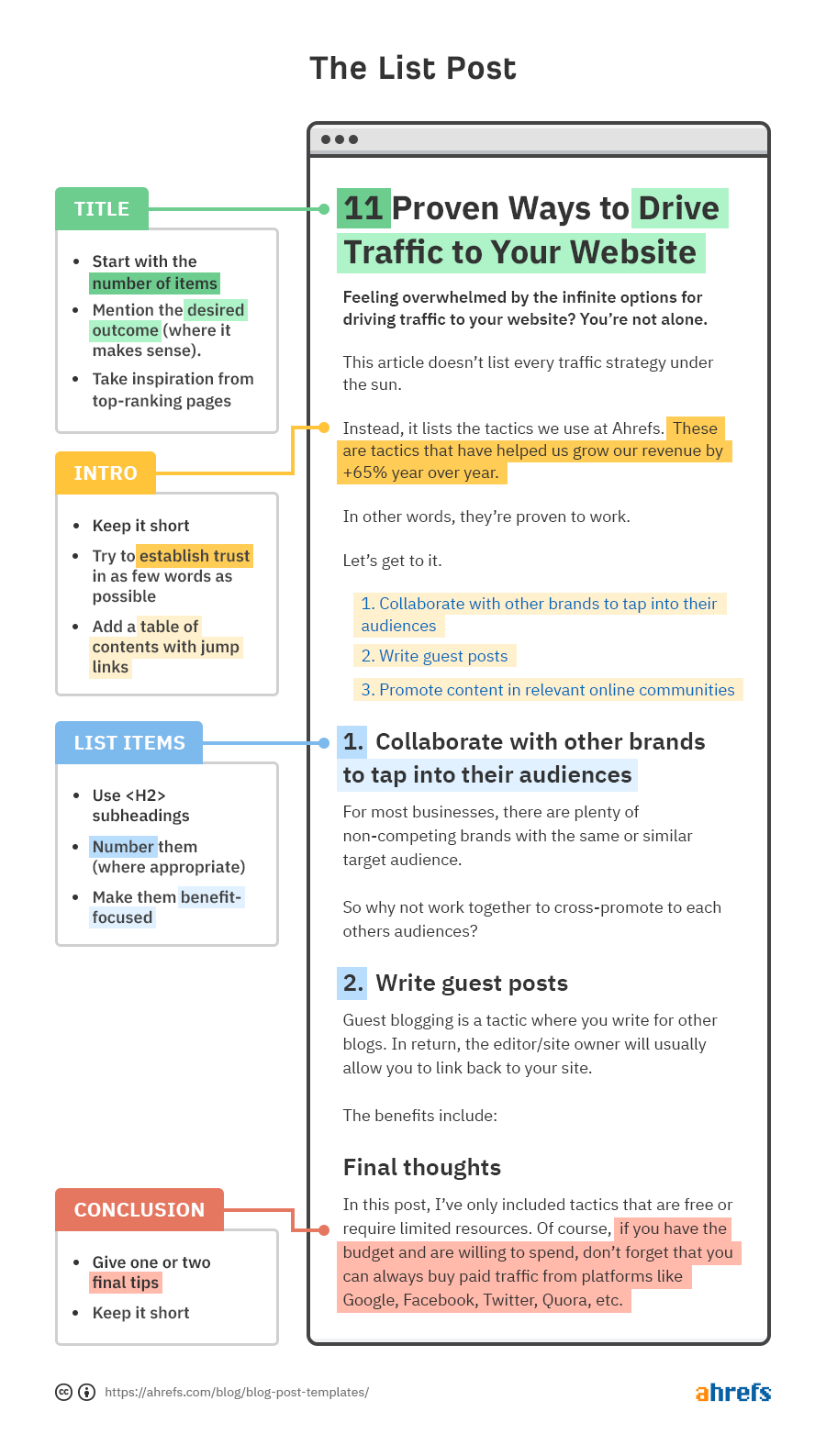
Source: ahrefs.com
Step 7: Improve the Blog Post for SEO
Search engine optimization helps the right readers find your article. It should support good writing, not replace it.
A well-optimized blog post usually includes:
- A clear primary topic
- Natural keyword use
- Helpful subheadings
- Descriptive title and URL
- Internal links to related pages
- Trustworthy external references
- Mobile-friendly formatting
- Descriptive image alt text
- A clear meta description
- Fast page performance
Use keywords naturally
Place the main keyword where it fits. Do not repeat it in every heading or sentence. Search engines can understand related language and topic context.
For this topic, related phrases include:
- Blog writing process
- How to start a blog post
- Blog post format
- Writing blog content
- SEO blog writing
- Blog article structure
- Content writing tips
Use these terms only when they improve clarity. Keyword stuffing can make an article awkward and reduce trust.
Add internal links
Internal links guide readers to other useful pages on your website. They also help search engines understand how your content connects.
Link to pages that provide more detail, such as:
- A keyword research guide
- A content calendar template
- An SEO checklist
- A page about your services
- A related case study
Use descriptive anchor text. “Read our content calendar guide” is clearer than “click here.”
Optimize images and accessibility
Images can support learning, but they should have a purpose. Use an image to explain a process, show an example, or make the page easier to understand.
Add descriptive alt text for meaningful images. For example, “writer outlining a blog post on a laptop” is more useful than “image1.”
SEO works best when it improves the user experience. A fast, clear, accessible page is better for readers and search engines alike.
Step 8: Make the Blog Post Easy to Read
Readability affects how long people stay with your content and whether they understand it.
Use:
- Short sentences
- Familiar words
- Active voice
- Clear headings
- Lists
- White space
- Specific examples
- Direct instructions
Compare these sentences:
“Implementation of an editorial strategy can facilitate the optimization of content production.”
“An editorial plan helps you create better content.”
The second sentence is easier to understand. Simple writing is not shallow writing. It is clear writing.
Use active voice
Active voice shows who performs the action.
- Passive: The outline was created by the writer.
- Active: The writer created the outline.
Passive voice is sometimes useful, but active voice usually feels more direct and energetic.
Format for mobile readers
Many people read blog posts on phones. Large paragraphs can look even larger on a small screen.
Use:
- Two to four sentences per paragraph
- Descriptive headings
- Bulleted lists
- Bold formatting only when truly needed
- Short sections
- Plenty of space between ideas
A reader should be able to scan your article and understand its main points within a few seconds.
Step 9: Edit and Fact-Check the Draft
The first draft is for getting ideas down. Editing is where the article becomes clear, accurate, and polished.
Do not edit every sentence while drafting. That habit can slow you down and make writing feel harder. Finish a rough draft first, then revise it with fresh attention.
Use a practical editing process
Review your blog post in several passes:
- Check the main purpose. Does every section support the topic?
- Check the structure. Does each idea appear in a logical order?
- Remove repetition. Delete sentences that add no new value.
- Improve clarity. Replace vague words with specific ones.
- Check facts. Confirm statistics, dates, names, and claims.
- Review grammar. Correct spelling, punctuation, and sentence errors.
- Read aloud. Listen for awkward phrases and poor rhythm.
- Check links. Make sure every link works and supports the article.
- Review the page visually. Look for long blocks and uneven spacing.
Reading aloud is one of the simplest editing tools. If a sentence feels difficult to say, it may also be difficult to read.
Watch for common mistakes
Many blog posts lose quality because of small problems:
- The introduction takes too long to reach the point.
- The article targets too many different questions.
- The writer uses claims without support.
- The conclusion repeats the entire article.
- The headline promises more than the article delivers.
- The writer uses complex words to sound professional.
- The post has no clear next step.
A careful edit can fix most of these issues.
Step 10: Write a Strong Conclusion and Call to Action
A conclusion should bring the article to a useful close. It does not need to repeat every section. Instead, summarize the central lesson and encourage the reader to act.
A strong conclusion can include:
- A brief summary
- The most important takeaway
- A practical next step
- A relevant call to action
For example:
“Writing a blog post becomes easier when you start with a clear reader problem, build a simple outline, support your ideas with research, and edit with care. Choose one topic today, create five headings, and write a rough draft before worrying about perfection.”
Your call to action should match the article. You might ask readers to:
- Download a template
- Read a related guide
- Subscribe to your email list
- Try the process
- Share their experience
- Contact your business
Do not add an unrelated sales message. A useful call to action feels like the natural next step.
Common Blog Post Formats
Different topics work best with different formats. Choosing the right format can make how to write a blog post much easier.
How-to post
A how-to post explains a process step by step. It works well for tutorials, cooking instructions, software guides, and practical tasks.
List post
A list post organizes information into numbered or bulleted points. Examples include “10 Ways to Save Money” and “7 Tools for Remote Teams.”
Comparison post
A comparison post examines two or more options. It should explain the differences, benefits, limits, costs, and best use cases.
Case study
A case study describes a real situation, the problem involved, the action taken, and the result. Use accurate details and be transparent about limitations.
Beginner’s guide
A beginner’s guide introduces a topic from the ground up. Define important terms and avoid assuming that readers already understand the subject.
Opinion or thought leadership post
This format presents a clear viewpoint. Support opinions with reasoning, experience, examples, and evidence. Be fair when discussing other views.
The format should serve the reader. Do not create a list post simply because lists are popular. Choose the structure that makes the answer easiest to use.
Mistakes to Avoid When Writing a Blog Post
Knowing what not to do is an important part of how to write a blog post well.
Writing without a target reader
If you write for everyone, the article may connect with no one. Define the reader’s knowledge level, goal, problem, and likely questions.
Chasing word count
A longer article is not automatically better. Add words only when they improve understanding or usefulness.
Copying competitor content
Reviewing other pages can reveal search intent, but copying their structure or wording creates weak and unoriginal content. Bring your own examples, experience, analysis, and voice.
Ignoring accuracy
An incorrect statistic or outdated recommendation can damage trust. Check important claims and explain when information may change.
Using a misleading headline
A dramatic headline may earn clicks, but it can also disappoint readers. Write a headline that is clear, specific, and honest.
Forgetting the reader’s next step
A reader may finish the article and still wonder what to do. End with a practical action that fits the topic.
In my experience, the biggest improvement often comes from removing distractions. A focused article with fewer ideas usually helps readers more than a crowded article that tries to cover everything.
A Simple Blog Post Template
Use this template when you need a repeatable writing process.
Introduction
Explain the reader’s problem, give a short answer, and preview the article.
Main answer
Define the topic and explain why it matters.
Step one
Cover the first action the reader should take.
Step two
Explain the next action with examples.
Step three
Add supporting details, tools, or best practices.
Common mistakes
Warn readers about problems that can reduce results.
Practical checklist
Give readers a short list they can use right away.
Conclusion
Summarize the main lesson and provide a clear call to action.
This template is flexible. You can add sections when the topic needs them or remove sections that do not help the reader.
Frequently Asked Questions About How to Write a Blog Post
How long should a blog post be?
A blog post should be long enough to answer the reader’s question fully. Focus on usefulness and clarity rather than a fixed word count.
What should I write about in a blog post?
Write about a specific problem, question, or goal that matters to your audience. Customer questions, search suggestions, industry discussions, and personal experience can all provide useful topic ideas.
How do I start a blog post?
Start by identifying the reader’s problem and giving a clear reason to continue reading. Then explain what the article will cover and what the reader can expect to learn.
How many keywords should a blog post include?
Use the main keyword naturally in important locations, but do not follow a fixed repetition target. Include related words when they improve context, and always prioritize natural, helpful writing.
Do blog posts need images?
Images are not required for every article, but useful images can improve understanding and make a page easier to scan. Use relevant images with descriptive alt text rather than adding visuals only to fill space.
How often should I publish blog posts?
Publish on a schedule you can maintain without lowering quality. One useful, accurate post each month can be better than several rushed posts each week.
Should I use personal experiences in a blog post?
Personal experiences can add trust and make advice more relatable. Explain what happened, what you learned, and where your experience may not apply to every reader.
Conclusion
Learning how to write a blog post is a practical process, not a mystery. Choose a focused topic, understand search intent, research carefully, create a clear outline, write for real people, optimize naturally for SEO, and edit before publishing.
The best way to improve is to practice. Choose one question your audience asks, outline the answer, and write a useful first draft today. Then review it with the reader in mind and keep refining your process as you learn. Explore related content writing resources, subscribe for more practical guides, or share your own blogging lessons in the comments.


