
How To Create Your Own AI Storybook Assistant: Step-by-Step 2026 Guide
Build an AI storybook helper in minutes with no-code tools, smart prompts, and templates.
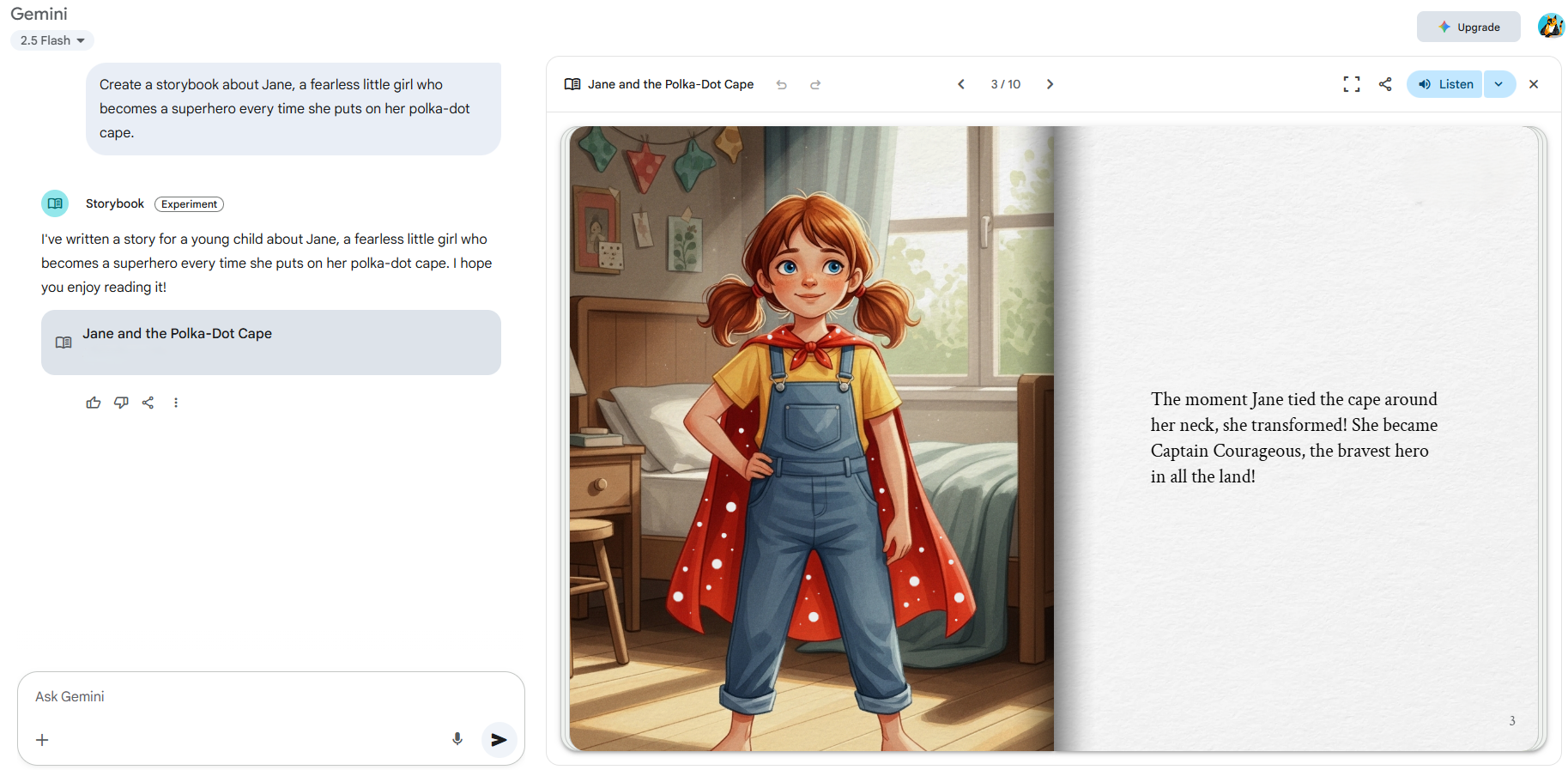
If you want to turn ideas into bedtime tales fast, you are in the right place. I have built dozens of tiny AI tools for parents, teachers, and indie writers. In this guide, I will show you How to Create Your Own AI Storybook Assistant in Just Minutes with simple steps, real examples, and proven tips that work.
What Is an AI Storybook Assistant?
An AI storybook assistant is a small app. It turns your ideas into kid-safe stories with art and voice. It helps you write, edit, and read aloud. You pick the age, tone, hero, and plot beats. The tool does the rest in seconds.
Think of it like a friendly co-writer who never sleeps. It can draft scenes, add morals, and change reading level on the fly. With the right setup, it can also make cover art and speak the story in a warm voice.
Why it matters: kids love custom tales. Parents love speed. Educators love control over level and themes. You can build this fast with off-the-shelf parts and no heavy code.
This is the core of How to Create Your Own AI Storybook Assistant in Just Minutes.
-min.png)
Source: spot.ai
Tools You Need to Build It in Minutes
You can do this with no code or low code. Pick the stack that fits your skill and budget.
Core pieces
- Language model: Drafts stories, summaries, and edits. Use a trusted LLM with adjustable temperature.
- Text-to-speech: Reads the story out loud in a clear child-safe voice.
- Image maker: Creates simple, kind art for kids. Use a model that allows safe outputs.
- UI layer: A simple app to take inputs and show results.
Good starter options
- No-code UI: Notion forms, Airtable forms, Tally forms, or Typeform to collect inputs.
- Easy app shells: Replit, Hugging Face Spaces, Streamlit, or Gradio for a fast web app.
- Voice: Built-in browser speech, or a cloud TTS API with child-friendly voices.
- Images: A safe text-to-image API with style presets for kid art.
- Storage: Google Drive, Dropbox, or cloud buckets for images and audio.
Nice-to-have
- Templates: Prompt snippets for age, genre, and style.
- Safe mode: Filters for banned words or themes.
- Export: PDF or ePub for easy print or share.
Keep costs in mind. Use free tiers to test. Cache results for repeat use.
You now have the kit for How to Create Your Own AI Storybook Assistant in Just Minutes.
Source: tsh.io
Step-by-Step: Build Your AI Storybook Assistant
You can ship a solid first version in under one hour. Here is the path I use in workshops.
- Plan your flow
- Inputs: Child’s name, age, theme, lesson, word count, voice style.
- Outputs: Story text, cover image, 3 spot art images, audio read aloud.
- Set up a UI
- Use a simple web form. Add fields for age, theme, and tone.
- Keep it fast. Four to six fields is plenty.
- Craft your main prompt
- Use clear roles and rules. Keep it short and strict.
- Set reading level, tone, and safe content rules.
- Generate the story
- Send the prompt and inputs to the LLM.
- Set temperature to 0.7 for fun but stable tales.
- Target 600–900 words for early readers. Go longer for older kids.
- Make images
- Ask the image model for a cover and key scenes.
- Lock a friendly style. Cute, bright, simple lines.
- Add voice
- Send the text to TTS.
- Pick a warm voice. Set slow speed for young ears.
- Package the book
- Show text with images and a play button.
- Offer save as PDF and share link.
- Add a safe mode
- Scan for banned words and scary content.
- Keep it kind. Avoid real people or brands.
- Test with a real user
- Read one book with a child or a teacher.
- Note where they pause, smile, or skip.
This is the clean path for How to Create Your Own AI Storybook Assistant in Just Minutes. It works well for a fast MVP and real use at home or in class.
Source: lovetoread.ai
Prompt Templates and Examples
You do not need magic words. You need clear rules and a steady frame. Use these as a base and tweak.
Base story prompt
- Role: You are a kind children’s author.
- Goal: Write a bedtime story for a child age [AGE].
- Style: Warm, simple words, short lines, gentle humor.
- Safety: No harm, no fear, no real brand names.
- Inputs: Child’s name [NAME], theme [THEME], lesson [MORAL], word count [WORDS].
- Output: Title, 6 short scenes, a kind ending, a one-line moral.
Example mini prompt
- Write a 700-word story for age 6.
- Main character: Maya, a curious coder.
- Theme: Teamwork and patience.
- Moral: We grow when we try again.
- Style: Cozy, bedtime safe. Use small words and short lines.
Image prompt template
- Style: Soft watercolor, bright, friendly, simple shapes.
- Subject: [SCENE SUMMARY] with [CHARACTER], age [AGE RANGE].
- Mood: Warm, playful, safe for kids.
- Avoid: Real logos, weapons, scary faces.
Voice prompt tips
- Use short paragraphs for clear TTS breaks.
- Add commas and line breaks to guide pace.
In my tests, a strong base prompt cut rewrites by half. That is key for How to Create Your Own AI Storybook Assistant in Just Minutes.

Source: pakiki.net
Add Voices, Images, and Interactivity
Voices
- Pick two voices: gentle and lively. Give users a choice.
- Set rate and pitch. Young kids like slow and warm.
- Add a play button for each scene.
Images
- Fix style with one line so art feels the same.
- Keep faces simple and kind. Use soft colors.
- Add alt text for every image for access.
Interactivity
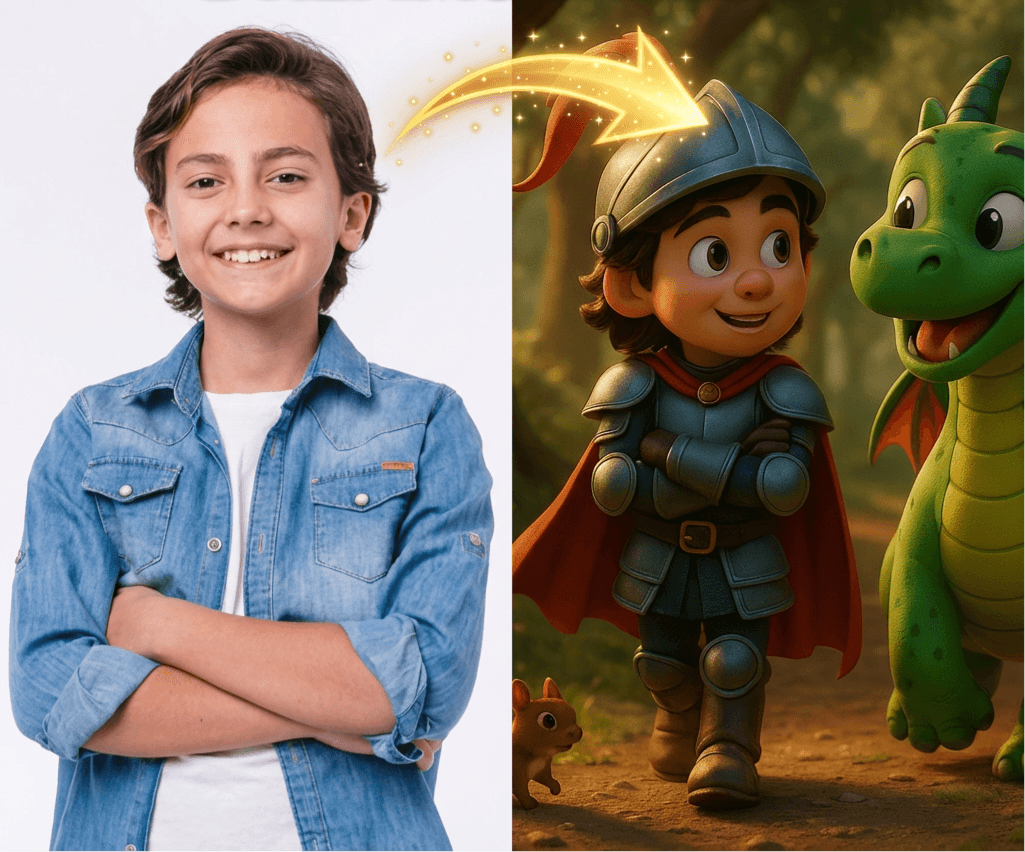
- Let kids pick choices at key points.
- Offer a “change the ending” button.
- Add a “word helper” that explains hard words.
These small touches raise joy. They also reduce bounce. This brings life to How to Create Your Own AI Storybook Assistant in Just Minutes.
Source: alicialyttle.com
Deploy to Web, Mobile, or Chat
Fast web launch
- Use Streamlit or Gradio for a one-page app.
- Host on Replit or Hugging Face Spaces.
Share to mobile
- Save to home screen as a PWA.
- Make buttons big. Use large text.
Chat flow
- Wrap your prompts in a chat bot.
- Add quick reply chips like “New hero,” “Make it shorter,” “Add a dragon.”
Export and share
- PDF with images and a simple cover.
- Share link with view-only mode.
With this, you can ship How to Create Your Own AI Storybook Assistant in Just Minutes and put it in the hands of real readers.

Source: intercom.com
Safety, Copyright, and Ethics
Kid safety
- Avoid violence, fear, and real people.
- Keep tone kind. Add content filters.
- Log flagged words for review.
Copyright basics
- Use public domain ideas or your own.
- Avoid using living authors’ styles.
- Check image license rules and terms.
Data care
- Do not store child names without consent.
- Let users delete stories with one click.
Bias checks
- Test with diverse names and cultures.
- Use neutral roles. Rotate heroes and jobs.
Be open about limits
- Say that AI can make errors.
- Offer a report button to fix bad outputs.
Trust grows when you state the rules up front. That is part of How to Create Your Own AI Storybook Assistant in Just Minutes.
Source: storyspark.ai
Troubleshooting and Optimization Tips
If stories feel bland
- Lower word count. Raise temperature a bit.
- Add a stronger moral and scene beats.
If images look odd
- Tighten the style line. Limit details.
- Use simple color words. Name the angle.
If voice sounds rushed
- Add more commas and breaks.
- Slow the rate by 5–10 percent.
If costs spike
- Cache results. Reuse art for scenes.
- Use smaller models for drafts.
If users drop off
- Cut form fields. Show a live preview.
- Add a big “Make my book” button.
These fixes help you tune How to Create Your Own AI Storybook Assistant in Just Minutes so it feels smooth and fun.
Source: lovetoread.ai
Real-World Use Cases and Ideas
For parents
- Bedtime hero of the week with your child’s name.
- Calm stories for wind-down time.
For teachers
- Vocab-focused tales that match your unit.
- Reading level swaps for mixed classes.
For indie authors
- Fast idea tests with cover mockups.
- A beta reader mode with tone sliders.
For therapists
- Gentle stories that model coping skills.
- Safe, soft themes for hard days.
From my work with a local school, the best gains came from level control. We made the same story in three levels. Kids moved up with pride. That is the heart of How to Create Your Own AI Storybook Assistant in Just Minutes: make joy fast, then shape it with care.
Frequently Asked Questions
Can I build it without coding?
Yes. Use a form for inputs and a hosted app shell. You can ship a working tool in under an hour.
How do I keep stories safe for kids?
Add clear content rules in the prompt and filter outputs. Test with sample names and themes to catch issues.
What does it cost to run?
You can start on free tiers. As you grow, add caching and limit image size to keep costs low.
Can I sell the books I make?
You can sell your own original stories and images if your tool and model terms allow it. Always check the terms and local laws.
How do I add voice and images?
Use a text-to-speech API for audio and a text-to-image API for art. Keep styles simple and voices warm.
Conclusion
You now have a clear, fast path to build a small tool that delights kids and saves time. Start with a clean prompt, a simple UI, and one voice and style. Add safety, test with one reader, and then improve.
Take the next step today. Ship a tiny version, learn from real use, and grow from there. If this helped, subscribe for more guides, share your build, or leave a comment with your best story idea.
My Best Recommended AI Kids Storybook Tool—Get Started Here >>


